My Phone Was Winning. Here's the Weird Combo That Finally Flipped the Score.
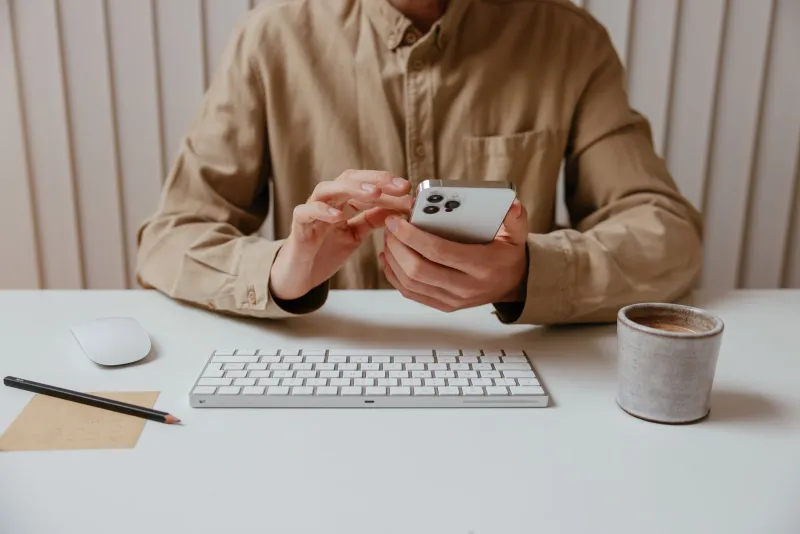
I'll be honest with you: I have a problem. Not a "ha ha, I'm so addicted to my phone" humble-brag problem. An actual, staring-at-Instagram-at-2am-when-I-have-a-7am-meeting problem. So I did what any self-respecting tech nerd would do — I went full scientist on it. I spent six weeks testing every focus mode, digital wellbeing app, and phone-detox gimmick I could find. Some of them were genuinely clever. Most of them were, in a word, useless.
Here's what I learned, what failed spectacularly, and the weird little combination I stumbled onto that actually stuck.
The Built-In Stuff Sounds Great in Theory
Both Android and iPhone ship with focus and screen time tools baked right in, and on paper they look impressive. Apple's Focus modes let you customize which apps and people can reach you during set windows. Android's Digital Wellbeing dashboard gives you app timers, a wind-down mode, and a dashboard that makes you feel guilty in real time. I set all of it up properly, followed the guides, and felt very productive doing so.
Then I blew through every single limit within 48 hours.
The problem with app timers — and I mean this sincerely — is that the "ignore limit for today" button is right there. One tap. No friction. No shame. It's like putting a cookie jar in front of you with a lid that says "are you sure?" Yes. Yes I am sure. I am always sure about the cookie.
Apple's Focus modes are genuinely useful for blocking notifications, but they don't actually stop you from opening apps. You can still doom-scroll Reddit at midnight; your phone just won't buzz at you while you do it. That's not focus. That's just quieter chaos.
Third-Party Apps: The Good, The Gimmicky, and The Predatory
Okay, so the built-in tools needed backup. I went shopping.
Freedom is probably the most well-known app blocker out there, and it's legitimately solid — but it's also $3.99 a month (or $40 a year) once the trial ends. It syncs blocks across your devices, which is a real advantage, and the "locked mode" that prevents you from disabling a session is the kind of friction that actually works. The issue? I kept scheduling sessions and then finding loopholes in my own schedule. "I'll just check one thing before the block starts." Forty minutes later, oops.
Opal is sleek and the app categorization is smart, but again — subscription. And I found myself gaming it. The human brain is disturbingly good at finding workarounds when it really wants to watch a YouTube video at 11pm.
One Sec was interesting. It inserts a mandatory breathing pause before opening a distracting app, forcing you to take one conscious breath and confirm you actually want to open it. Annoyingly effective in the short term. But after two weeks, my thumb was just autopiloting through the breath animation without thinking. Pavlov would not be impressed with me.
Grayscale mode — turning your screen black and white — gets a lot of hype in productivity circles. It genuinely makes your phone less visually stimulating. But here's the thing: I adapted to it in about four days and stopped noticing. My brain just recalibrated. Thanks, brain.
The Moment Everything Changed (It's Dumb, Bear With Me)
After five weeks of elaborate systems that I kept defeating, I stumbled onto something almost embarrassingly simple while poking around my Android settings. And look — I feel slightly ridiculous that this is what worked, but here we are.
The combo that actually changed my behavior:
1. Scheduled grayscale + a genuinely inconvenient PIN. Instead of grayscale all day (which I adapted to), I set it to kick in automatically at 9pm via my phone's scheduled mode. Then — and this is the key part — I set a long, annoying PIN to disable grayscale. Not my regular PIN. A new one I have to actually think about. The friction of entering it while half-asleep is just enough to make me go, "eh, forget it."
2. Moving my most-used apps off the home screen entirely. Not deleting them. Not blocking them. Just burying them in a folder three swipes deep. This sounds laughably minor, but removing the visual cue of the Instagram icon from my home screen cut my mindless opens by something like 60%. Out of sight genuinely meant out of mind — at least for the reflexive, bored-thumb opens.
3. Using the free tier of One Sec for exactly two apps. Instead of applying it to everything (which created fatigue), I only put the breathing pause on Instagram and YouTube. Those were my specific black holes. Surgical application worked way better than carpet-bombing every app with restrictions.
4. Phone charging outside the bedroom. Full stop. I know. Everyone says this. I resisted it for years. I finally did it and it was the single highest-impact change I made. Not a tech trick. Not an app. Just plugging my phone in across the hallway. My sleep improved, my morning improved, and I stopped reaching for it as my last conscious act every night.
What This Actually Cost Me
Nothing. Genuinely zero dollars. The grayscale scheduling is native to both iPhone (via Shortcuts automation) and Android (via Digital Wellbeing or Scheduled modes). Moving apps around costs nothing. One Sec has a free tier that covers a couple of apps. And an outlet in the hallway has presumably been free since I moved in.
The expensive paid apps aren't bad — Freedom in particular is worth it if you need cross-device blocking for work. But the reason most of these tools fail isn't that they're underpowered. It's that they're too easy to dismiss when your willpower is at its lowest. The trick is designing your environment so that the path of least resistance is away from your phone, not toward it.
The Takeaway
Every slick focus app I tested was essentially betting that your future self would have more willpower than your current self. That's a bad bet. The stuff that actually worked was the stuff that made me lazier about opening my phone than about not opening it. Friction, inconvenience, and removing visual triggers beat gamified dashboards and subscription-based blockers every single time.
Your phone is very, very good at keeping your attention. Fighting it with willpower alone is like bringing a water pistol to a flamethrower fight. Build the boring, annoying, slightly inconvenient environment instead. It's not satisfying advice, but it's the one that actually worked for me — and my screen time is down about 40% to prove it.